Total Views: 26
VPN - Linux Devices
NOTE: Below guide is prepared with a freshly installed Ubuntu 26.04.1 LTS.
Go to https://duvar.metu.edu.tr and click on the Download GlobalProtect for Linux (6.3.3-c31) link.
Untar the downloaded file from terminal or GUI.
tar -xf PanGPLinux-6.3.3-c31.tar --one-top-levelRun the
.\gp-install.sh --helpto see installation options.
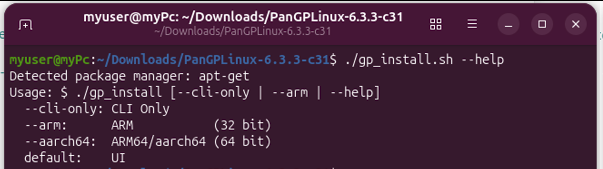
For Ubuntu system and UI installation, run the following command.
sudo dpkg -i --ignore-depends=libqt5webkit5 GlobalProtext_UI_deb-6.3.3.1-638.debPortal Address: duvar.metu.edu.tr
Use your metu credentials when prompted.
For Ubuntu system and CLI-Onlt installation, run the follwing command.
.\gp_install.sh --cli-onlyAfter the installation, run the client from a command-line
globalprotect connect --portal duvar.metu.edu.tr --username eXXXXXXFor disconnect, run the following command
globalprotect disconnectNOTE: if you get the following error,
Cannot connect to local gpd service.Start service manually by running,
source /opt/paloaltonetworks/globalprotect/PanMSInit.sh