Can I use different VPN softwares to use METU VPN Service?
You have to use HPE Virtual Intranet Access (previous name is Aruba Via) software which published at https://netregister.metu.edu.tr to use METU VPN service.
Posted on: 25/01/2017
The search found 15 results in 0.047 seconds.
You have to use HPE Virtual Intranet Access (previous name is Aruba Via) software which published at https://netregister.metu.edu.tr to use METU VPN service.
Posted on: 25/01/2017
With METU VPN Service, by installing a packaged program (VPN Client) on personal computers and/or mobile devices, our members and students could access to our campus network resources when they are outside the campus.
Posted on: 23/12/2014
Open Aruba VIA and click "Settings" icon.
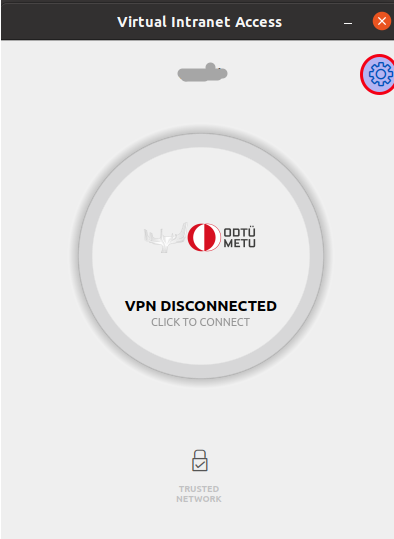
Click on "VPN Profiles" tab and click "Clear Profiles".
Posted on: 16/11/2022
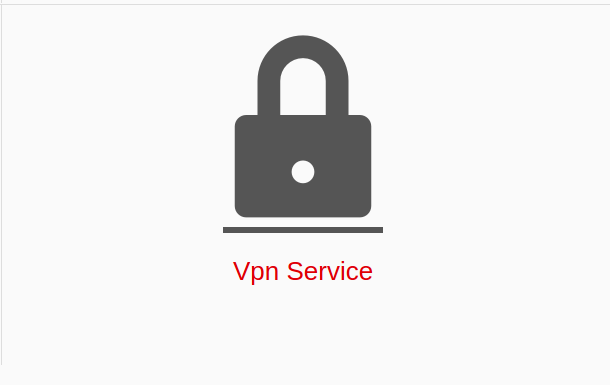
To download the VPN application, please visit https://netregister.metu.edu.tr and click "VPN Service" icon.
Posted on: 07/05/2020
With METU VPN Service, by installing a packaged program (VPN Client) on personal computers and/or mobile devices, our members and students could access to our campus network resources when they are outside the campus.
Posted on: 23/12/2014
METU VPN Service Use Policy
Aim of METU VPN Service
Posted on: 23/12/2014
With METU VPN Service, by installing a packaged program (VPN Client) on personal computers and/or mobile devices, our members and students could access to our campus network resources when they are outside the campus.
Posted on: 23/12/2014
When you are connecting to the VPN Service, you should enter your password on each connection. If you are not asked to enter your password everytime, you are advised to remove the VPN connection profile from your device.
Posted on: 23/12/2014
If you have problems with installing the HPE Virtual Intranet Access (previous name is Aruba VIA) software, please visit https://faq.cc.metu.edu.tr/faq/i-have-problems-installing-vpn-services-w...
Posted on: 16/02/2017
First of all, please check your user code and password combination using https://useraccount.metu.edu.tr/. You can also specify recovery e-mail address from that page.
Posted on: 23/12/2014
