When preparing an external document, the KEP address of the recipient institution is not visible. What can be done?
You should send this information to ebys-destek@metu.edu.tr. The necessary action will be taken.
Posted on: 26/05/2025
The search found 126 results in 0.098 seconds.
You should send this information to ebys-destek@metu.edu.tr. The necessary action will be taken.
Posted on: 26/05/2025
In order to use e-signature in EBYS (Electronic Document Management System), Java, e-signature reader drivers and DSClient application must be installed on the computer.
For installation, you can follow the steps below:
for Windows;
Posted on: 23/05/2023
You can change the addressing section on the document to English by using the "Belgede Görüntülenecek Muhatap Alanını Güncelle" feature.
But sections such as topics, e-signatures can only be in Turkish as of now. To make it available in English is currently in the planning process.
Posted on: 26/03/2025
Due to communication regulations, a secret document will not be prepared on EBYS. These documents will continue to be prepared and sent as always.
However, the number of the document will be accessed from EBYS using the Numara Talep Formu form.
Posted on: 09/04/2025
It has been observed that users preparing documents in EBYS generally forward documents requiring “Approval/Compliance/Authorization” with only the signature of the unit manager to higher-level managers.
Posted on: 26/05/2025
No, documents prepared and e-signed in EBYS can not be deleted.
Questions about EBYS can be directed to ebys-destek@metu.edu.tr
Posted on: 09/04/2025
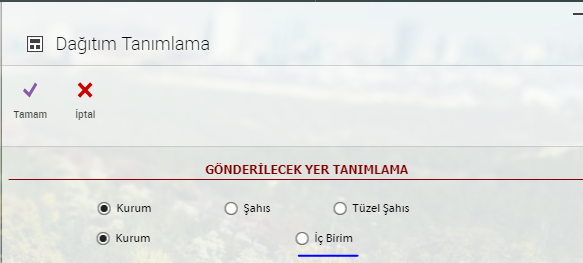
Yes. To do this, while preparing an external correspondence, simply select the desired internal unit from the “Internal Unit” section in the distribution screen.
Posted on: 26/05/2025
Everytime a document gets sent and returns, these processes are recorded in the system. The document will be listed as many times as the document is sent to the individual, so this situation is normal.
Posted on: 14/04/2025
It is possible to initiate a new external document process by referencing past documents received from external institutions that are no longer pending approval. The steps to follow are:
Posted on: 26/05/2025
If the document needs to be checked by someone before proceeding to the confirmation process, the "Kontrole Gönder" button can be used.
Sending a document for checking
Posted on: 14/04/2025
