How to Fill Out the Health Reports Form in EBYS?
Within our university, the Health Reports Form available in EBYS must be filled out in accordance with the rules determined by the Department of Personnel Affairs.
Posted on: 26/05/2025
The search found 183 results in 0.045 seconds.
Within our university, the Health Reports Form available in EBYS must be filled out in accordance with the rules determined by the Department of Personnel Affairs.
Posted on: 26/05/2025
Forward the e-mail with full header information and the body part by opening a support ticket via https://itsupport.metu.edu.tr.
Posted on: 23/12/2014
If you forget the web user account's password, you should follow the procedures written at http://faq.cc.metu.edu.tr/faq/i-forgot-my-password-where-can-i-apply
Posted on: 15/04/2015
If you are using Windows 11 operating system, select;
Select the Start button, then click on Settings.
Update & Security. Click on Update & Security.
Posted on: 23/12/2014
In internal documents created in EBYS, the letterheads prepared by the Graphic Design Unit and listed at http://www.metu.edu.tr/tr/gkk/antetli-kagitlar are used.
Posted on: 26/05/2025
1. Under your Applications, select Settings.
2. At the very bottom of the list, choose "About Device (Android Phones may say About Phone).
Posted on: 23/12/2014
It is planed to reduce the number of "spam" e-mail messages out going from METU with the usage of a spam filter. Within the scope of such an action, when an e-mail message gets stuck in the spam filter, an alert message will be relayed to the user via the e-mail program being used.
Posted on: 23/12/2014
If the Certified Electronic Signature application e-mail sent from Kamu SM is accidentally deleted, an automatic password e-mail is sent by the system once a week to the e-mail address notified to Kamu SM from our institution.
Posted on: 03/05/2021
Action buttons such as Approve, Forward, Send for Signature, Download, Return, Mark as Completed, or access to the document/form’s workflow history and notes are displayed in the area just above the incoming document or electronic form.
Posted on: 22/05/2025
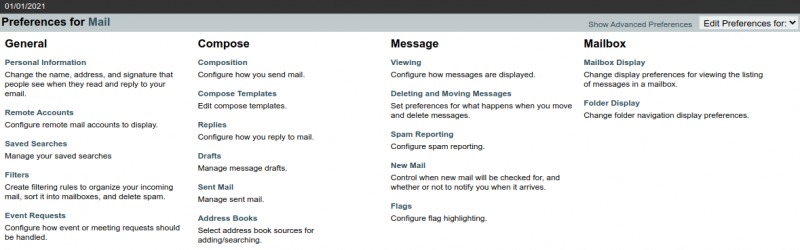
The Mail Preferences option in the settings (gear icon) in Horde menu lets you customize the preferences for Mail and Mailbox Display.
Posted on: 23/11/2021
