Can I use different VPN softwares to use METU VPN Service?
Users have to use PaloAlto Networks - GlobalProtect Client software which is currently available at https://duvar.metu.edu.tr to use METU VPN service.
Posted on: 20/10/2026
The search found 21 results in 0.05 seconds.
Users have to use PaloAlto Networks - GlobalProtect Client software which is currently available at https://duvar.metu.edu.tr to use METU VPN service.
Posted on: 20/10/2026
You have to use HPE Virtual Intranet Access (previous name is Aruba Via) software which published at https://netregister.metu.edu.tr to use METU VPN service.
Posted on: 25/01/2017
1000 users can use the METU VPN Service at the same time.
Posted on: 23/12/2014
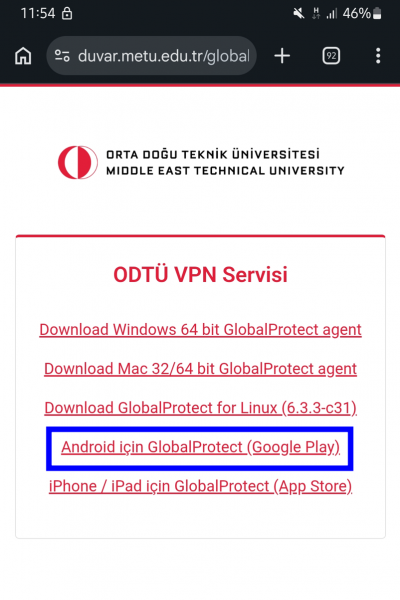
Go to https://duvar.metu.edu.tr and click on the Google Play link.
Posted on: 12/10/2026

Posted on: 23/12/2014
Go to https://duvar.metu.edu.tr and click on the Download Windows 64 bit GlobalProtect agent link.
Posted on: 12/10/2026
With METU VPN Service, by installing a packaged program (VPN Client) on personal computers and/or mobile devices, our members and students could access to our campus network resources when they are outside the campus.
Posted on: 23/12/2014
Go to https://duvar.metu.edu.tr and click on the Download Mac 32/64 bit GlobalProtect agent link.
Posted on: 15/10/2026
With METU VPN Service, by installing a packaged program (VPN Client) on personal computers and/or mobile devices, our members and students could access to our campus network resources when they are outside the campus.
Posted on: 23/12/2014
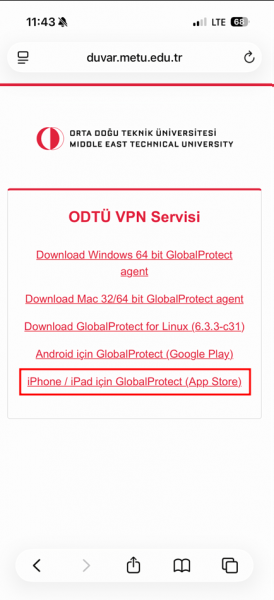
Go to https://duvar.metu.edu.tr and click on the App Store link.
Posted on: 15/10/2026
